The dedicated cloud production platforms we looked at — the browser-based, log-in-and-go switchers that have multiplied over the last few years — kept failing the same two tests. They charged in a shape that punished the way we work, and they fenced off the capabilities we actually need. So we run vMix on an AWS instance instead.
Here’s the short version, because it’s the question people actually ask: a dedicated cloud mixer is easier to start and harder to afford as you grow. vMix on your own cloud machine is more to set up and far cheaper to scale. At grassroots budgets, that second shape wins — and the flexibility that comes with owning the box is what makes it stick.
What “dedicated cloud mixer” actually means
Worth defining the terms up front, because the broad industry uses “cloud” to mean three different things and it muddies every comparison.
A dedicated cloud mixer is a switching platform that lives in someone else’s browser tab. You log into a web service, your camera feeds come in over the public internet, you cut the show in the browser, and the platform sends the program feed out to your stream destinations. You never touch a machine. The vendor runs the infrastructure, you rent the capability by the month or the event. The appeal is obvious: nothing to build, nothing to maintain, up and running in an afternoon.
The thing it isn’t: vMix. vMix is Windows software that runs on a PC. It is not a web service. When people say they “run vMix in the cloud,” what they mean — what we mean — is that vMix is installed on a Windows machine we rent from AWS, a GPU-backed EC2 instance we spin up for an event and shut down after. The “cloud” part is the box. The mixer is full desktop vMix, the same software you’d run on a tower under the desk, just running on hardware that happens to be in an Amazon data centre instead of in the back of the truck.
That distinction is the whole article. A dedicated cloud mixer is a product whose price and limits the vendor sets. vMix on AWS is a tool whose ceiling you set, by choosing the size of the machine you rent and paying only for the hours it runs.
The pricing trap: one operator, or pay per head
The first wall we hit was operator licensing. Several dedicated platforms are built around a single operator — one person, one seat, cutting the show. The moment you want a second pair of hands, someone running graphics or replays while another person cuts vision, you’re either locked out entirely or paying a per-operator surcharge on top of the base subscription.
In a well-funded broadcast operation, fine — absorb it. In the grassroots space, that per-head cost is prohibitive. The whole reason an event can afford coverage at this level is that the production stays lean. Stack a second and third operator fee onto a monthly platform price and the maths stops working before you’ve pointed a camera at anything. The platform that looked cheap at one seat becomes the most expensive thing on the run sheet the moment the show needs more than one person to run it — and any show worth watching does.
vMix doesn’t charge per operator. It’s a one-off licence on a machine you control. How many people stand at the desk, and what they’re each running, is your call and costs you nothing extra. For an operation whose margin is the lean production, that difference isn’t a nicety — it’s the thing that makes the event viable.
Instant replay shouldn’t stop at four cameras
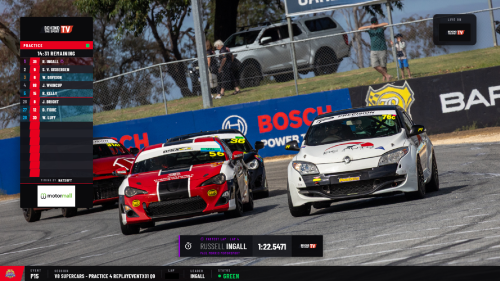
The second wall was replay. Instant replay — the ability to grab a moment that just happened, scrub it, and roll it back into the live show, ideally from several angles — is not a luxury in motorsport. An incident at a corner, a pass for the lead, a pit stop that won or lost the race: if you can’t show it again, from the angle that tells the story, you’re not really covering the sport. And in most of the dedicated cloud platforms we looked at, replay caps out at four cameras.
Four sounds like plenty until you lay it against a circuit. The angles you most want on replay are spread around the track precisely because the action is — and four channels means choosing, before anything happens, which corners you’re willing to miss. You’re rationing replay coverage to fit a vendor’s tier, not to fit the racing.
Running full vMix, replay scales with the machine rather than stopping at a number someone else picked. We can pull replay from the angles the event actually needs, and the limit becomes the horsepower of the instance we’ve chosen for the day — a budget decision we make, not a feature gate we’re sold. For a sport where the rewatch is half the broadcast, that headroom is the difference between covering the incident and apologising for missing it.
Flexibility is the through-line
Pricing and replay are really the same point wearing two hats: on a dedicated platform, the vendor decides what you can do and charges you to do more; on your own vMix instance, you decide. Want a second operator? Add one. Need more replay channels or more inputs for a bigger meeting? Launch a larger instance for the day. Got a one-off requirement — an unusual graphics workflow, an extra commentary feed, a custom output — and vMix almost certainly already does it, because it’s a mature piece of production software with years of features rather than a deliberately simple web tool.
That’s the flexibility that owning the box buys. You’re not waiting for a vendor to add a feature or open up a higher tier. The capability is already in the software; you’re choosing how much machine to put behind it, event by event.
Getting the feeds in: Haivision SRT Gateway
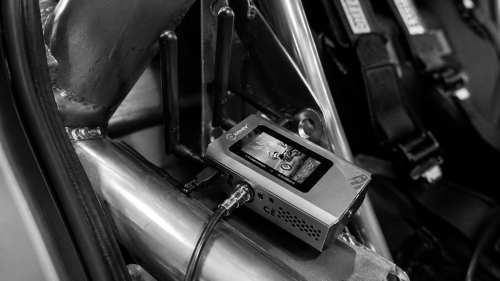
The part that doesn’t show up in a feature comparison, and the part that bites first, is delivery: a vision mixer in a data centre is only as good as the feeds that reach it. Our trackside cameras and encoders push SRT — Secure Reliable Transport, the protocol that lets a video feed survive a messy internet connection by re-requesting the packets it drops, which is exactly what you need when the pipe out of a circuit is whatever the venue or a bonded modem can give you.
To get those feeds cleanly into our vMix instances we run Haivision SRT Gateway on AWS — a routing layer that takes the incoming SRT streams and hands them to the right vMix instance reliably, rather than pointing every encoder straight at the mixer and hoping. It’s the piece that makes a multi-camera, cloud-hosted production behave like a wired one: feeds arrive where they’re meant to, the gateway manages the connections, and vMix sees clean inputs. On a managed platform the vendor owns this layer and you never think about it. Run your own instance and it’s yours to build — but building it with the Gateway is what turns “vMix on a rented PC” into a production you’d trust on a live race.
What you give up — honestly
This isn’t a free win, and pretending otherwise would be the kind of sales-dressed-as-advice we don’t do. vMix on AWS costs you in setup and responsibility.
You’re now running a Windows machine and a delivery chain. That means you own the things a managed service would have owned for you: launching the instance before the event and remembering to shut it down after so the meter stops, keeping the SRT path and the Haivision Gateway configured and tested, keeping the vMix licence and the OS current, and having a plan for the day the instance misbehaves twenty minutes before green flag. A dedicated cloud mixer hands all of that to the vendor. That’s a real value, and for an operator who doesn’t want to think about infrastructure at all, it’s the right trade.
There’s also a genuine learning curve. vMix does a great deal, and the surface area that gives you the pricing flexibility and the replay headroom is the same surface area you have to actually learn. A browser switcher with one seat and four replay channels is easier to hand to someone on day one. We think the ceiling is worth the climb. If your events fit comfortably inside one operator and four replay angles and you never want to see a Windows update, you might honestly conclude the opposite — and you’d be right for your situation.
The cost picture, without the spin
Cost cuts in an interesting direction here. A dedicated cloud mixer is a predictable subscription — flat, easy to budget, and you pay it whether you produce four events a month or none, plus whatever the per-operator surcharges add. vMix on AWS is mostly pay-for-what-you-burn: a one-off vMix licence, then the EC2 instance billed by the hour it’s actually running. Spin it up for the meeting, shut it down at the end of the day, pay for those hours and no more.
For an operation that runs events in clusters rather than continuously, that usage-based shape works out cost-effective — you’re not paying a year-round platform fee, with seat costs layered on top, to cover a calendar that isn’t year-round. The discipline it demands is real, though: you have to actually shut the instance down. A GPU instance you spun up for Saturday and forgot about will quietly bill you all week. The savings are real and so is the footgun. We treat “kill the instance” as part of pack-down, the same as coiling cables.
So: who should run which
If your show runs on one operator, fits inside four replay cameras, and you’d rather never see a Windows update — run a dedicated cloud mixer. It’s genuinely the right call for that profile, and we’d tell you so.
If you need more than one person at the desk without a surcharge that breaks a grassroots budget, you need replay from more than four angles, and you want the production’s ceiling to be a budget decision you make rather than a tier someone sells you — vMix on AWS earns its extra setup. That’s where our events land, which is why that’s where we landed. It’s our preferred vision mixer at the moment, and “at the moment” is doing honest work in that sentence: the tooling moves, the dedicated platforms are getting better, and we’ll change our mind the day the trade flips. For now, pricing and flexibility point one way, and it isn’t the browser tab.