One Box, One Cable: How We Run In-Car POV on the Kiloview P3 Mini
The car comes back in off a session, the driver climbs out, and the first question anyone asks is the same one every time: did we get the in-car? For a long stretch the honest answer was “mostly.” A camera that drifted off-angle on the warm-up lap. A power lead that worked itself loose over a kerb. A box that ran flat before the session did. In-car footage is the stuff people actually want to watch — the hands on the wheel, the kerb strike, the mirror-check before a dive down the inside — and it’s also the footage that’s hardest to keep alive, because it lives in the worst environment on the property: hot, vibrating, sealed up, and a long way from anyone who can reach in and fix it.
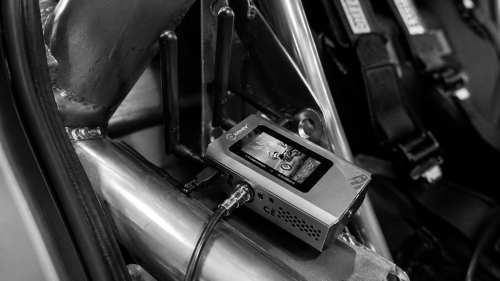
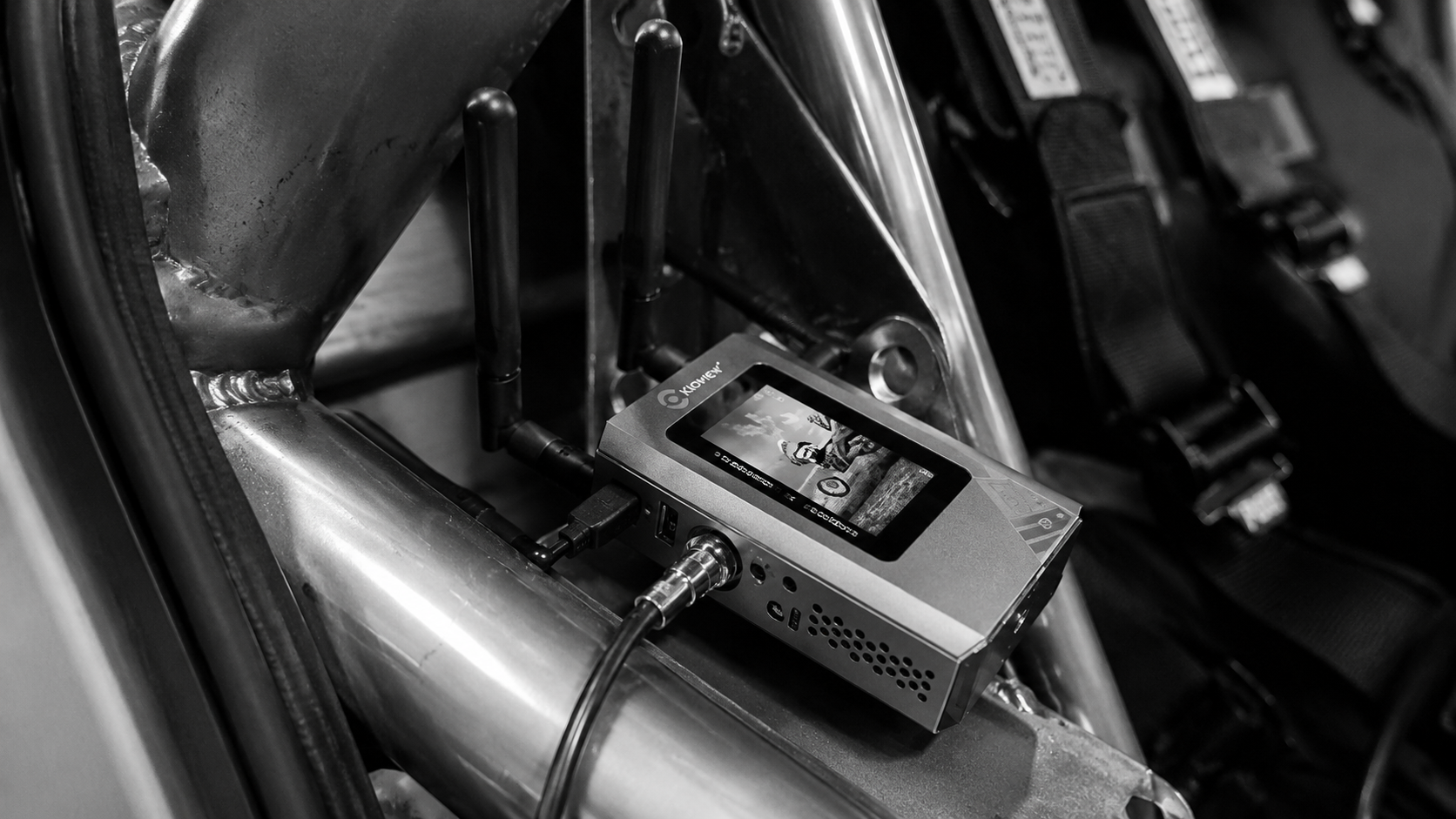
The answer we’ve landed on is the Kiloview P3 Mini, one per car, doing two jobs at once — encoding the feed and powering the camera off the same box. Here’s how that rig actually goes together, why we run it the way we do, and the one cable that ties it together.
What’s in the car
The camera is a Marshall POV — a small, self-contained block camera that puts a clean SDI feed out of a body barely bigger than a matchbox. Vision goes from the Marshall into the P3 Mini over 3G-SDI. That’s the path that matters for picture quality, and it’s the input we trust for anything going to air. SDI is the broadcast-standard serial link cameras and switchers have used for years; it’s a locking BNC connection, it doesn’t drop out when the connector gets warm, and it carries a clean 1080p60 over a thin coax run inside the car. For a vibrating, hot environment, a connector that locks and a cable that doesn’t care about heat is exactly what you want.
The P3 Mini takes that SDI in and encodes it. It’ll do H.265 or H.264, up to 1080p60, with the bitrate selectable anywhere from 512 kbps to 40 Mbps — it defaults to 6M, and that’s a sensible starting point for an in-car feed before you know what the network’s giving you. From there it streams out over its bonded connections to our AWS infrastructure, where the feed gets picked up, recorded, and pushed into the production chain. The box supports the full spread of protocols — RTMP, SRT, RTSP, HLS, WHIP — so wherever the feed needs to land, there’s a clean way to send it.
The power trick: one USB port, one barrel cable
Here’s the part that took some working out, and the bit that’s genuinely worth sharing.
The Marshall needs power. The P3 Mini has a USB port. So rather than run a separate battery or a separate power feed for the camera, we power the Marshall off the P3 Mini’s USB port using a USB-to-DC barrel cable — USB at the encoder end, the right barrel plug at the camera end. The camera draws its power from the same box that’s encoding its vision.
To be clear about what that USB port is and isn’t doing: on the P3 Mini the USB connection here is carrying power only. The vision still comes in over SDI. We’re not running the camera as a USB video source — we’re using the port as a power tap. That distinction matters if you’re copying this rig, because it changes what cable you build and what you expect to see on the encoder.
Why bother? Because every separate thing in the car is another thing that can come loose, go flat, or get forgotten on a busy grid. Collapsing camera power and encoding into a single box means one device to arm, one device to charge, one device to mount. The P3 Mini carries a 5000mAh internal battery — about four hours of its own runtime — and supports PD fast charging, so it tops up quickly between sessions and can run off an external power bank for a longer day. One box you have to think about instead of three. On a grid where you’ve got minutes between cars, that’s the difference between a clean arm-up and a scramble.
Why the screen is the whole reason we upgraded
We came to the P3 Mini from the P1 and P2 — Kiloview’s earlier bonding encoders. They worked. The bonding was good. So why change?
The screen. That’s the honest answer.
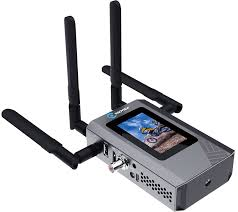
The P3 Mini has a 3-inch touchscreen on the body, and once you’ve lived with it you don’t go back. On the older units, configuring a camera meant connecting in to check what you were doing — fine on a bench, a real pain when the box is strapped into a car and you’ve got a roll cage between you and a laptop. With the screen on the unit, you set the encoding parameters right there: source, codec, resolution, frame rate, bitrate, all from the box in your hand.
But the bigger win is the camera angle. The screen previews the input. So when you’re mounting the Marshall — getting the horizon level, framing the wheel and the driver’s hands the way you want them, making sure a rollbar isn’t clipping the corner of the shot — you can see exactly what the camera sees, live, while you’re adjusting it. No guessing, no pulling the car back into the garage to check a recording, no discovering after the session that the POV was pointed at the headliner. You angle the camera properly the first time because you’re looking at the actual frame while your hands are on the mount. For an in-car rig, where access is awful and you only get one go at it before the car rolls out, that one feature justified the whole upgrade on its own.
The bonding, and why it matters in a moving car
The reason a box like this exists at all is the network problem. A car on a circuit is a moving transmitter dragging its signal across a property that might have good coverage on the main straight and nothing behind the back esses. A single SIM will drop you. Bonding is the fix: it combines several network links into one logical pipe, so the feed rides across all of them at once and load-balances as conditions change.
The P3 Mini runs Kiloview’s KiloLink bonding. It takes up to three 4G SIMs internally, plus Wi-Fi and Ethernet — five links it can bond together. As the car moves and one cell tower fades, the bandwidth shifts to the links that are still strong, and the stream holds. The bonding server side of it — KiloLink Server Pro — is free, which matters when you’re running a box per car and the per-channel licensing on some systems would quietly eat the budget. We aggregate the feeds into our own infrastructure rather than leaning on the device to stream direct, which gives us the recording and the control we want on the back end.
It is not magic. If the whole section of track is a genuine network blackspot, no amount of bonding invents signal that isn’t there — you’ll see the bitrate dip where the coverage dies, and the honest thing is to know your circuit’s dead zones before you promise anyone a flawless in-car feed. But across a normal lap on a normally-covered circuit, the bond does its job and the picture stays up where a single connection would have stuttered.
The things still on the list
We’re not going to pretend this rig is finished. A few of the camera mounts are still jobs we want to redo properly — getting the Marshall held dead solid in every car, in the exact spot we want it, without a zip-tie compromise, is an ongoing project. Different cars, different cages, different mounting points; some are clean and some are still held together with more improvisation than we’d like. The USB-to-DC power cables get refined every time we build another one. And the long-term question on any in-car box is heat and vibration over a full day — whether the mounting holds, whether the connectors stay seated through a season of kerb strikes. That’s the kind of thing you only learn by running it, race after race, and watching what works loose.
What we’d tell anyone building the same thing
If you’re putting in-car POV together and you’re weighing the P3 Mini, three things from us. SDI for vision, every time — lock the connector, forget about it, and don’t be tempted to run the picture over anything that can wiggle loose in a hot car. Use the USB port for camera power if your camera will take a barrel feed; collapsing power and encode into one box is worth more on a busy grid than it sounds on paper. And buy it for the screen — if you’re coming off a P1 or P2 and wondering whether the upgrade is worth it, the answer is the preview, because angling a hidden camera while watching its actual output is the thing that turns “mostly got the in-car” into “got it.”
That’s the rig. One Marshall, one P3 Mini, one SDI run for the picture and one USB-to-barrel cable for the power, bonded out to AWS. If you’re running something similar, or wrestling with in-car the hard way, get in touch — always keen to compare notes on what’s holding up and what’s still working loose.